How to change the language of the panel
Written By Albert Møller Nielsen
Last updated 6 months ago
Go to the SimplyPrint panel
To change the language of the panel, you'll have to start by going to the SimplyPrint panel if you are not already there. You can find the 'Your account' button which is located in the dropdown menu under your name in the top right corner.
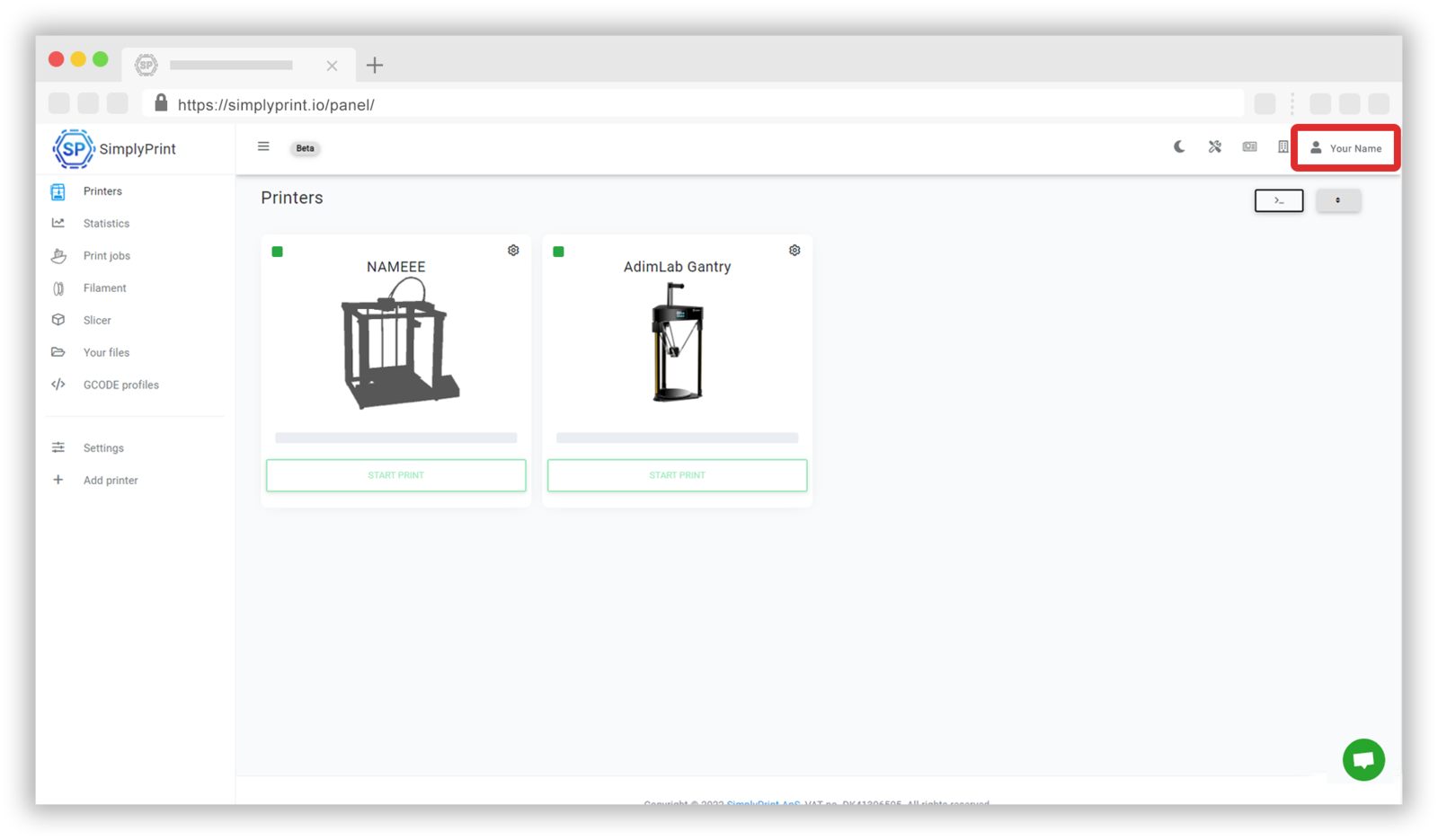
Changing the language of the panel
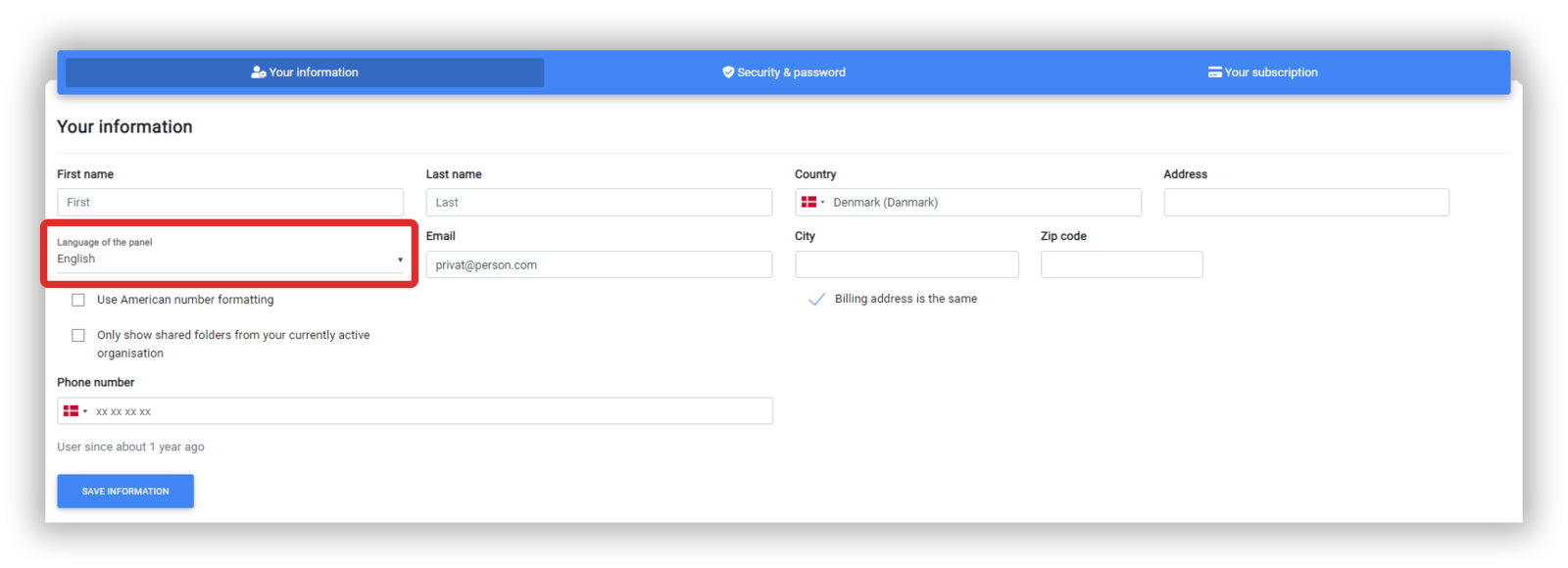
As you are already at the 'Your information' tab, you can change the language of the SimplyPrint panel underneath your name. Remember to 'Save information' to keep the changes you have made.
Still need help? Ask the team