Bambu Lab Integration: How to find your version number in the client
Written By Albert Møller Nielsen
Last updated 6 months ago
Where is the version number listed?
You can find the version of the Bambu Lab Client by navigating to the webpage you use to add Bambu Lab printers.
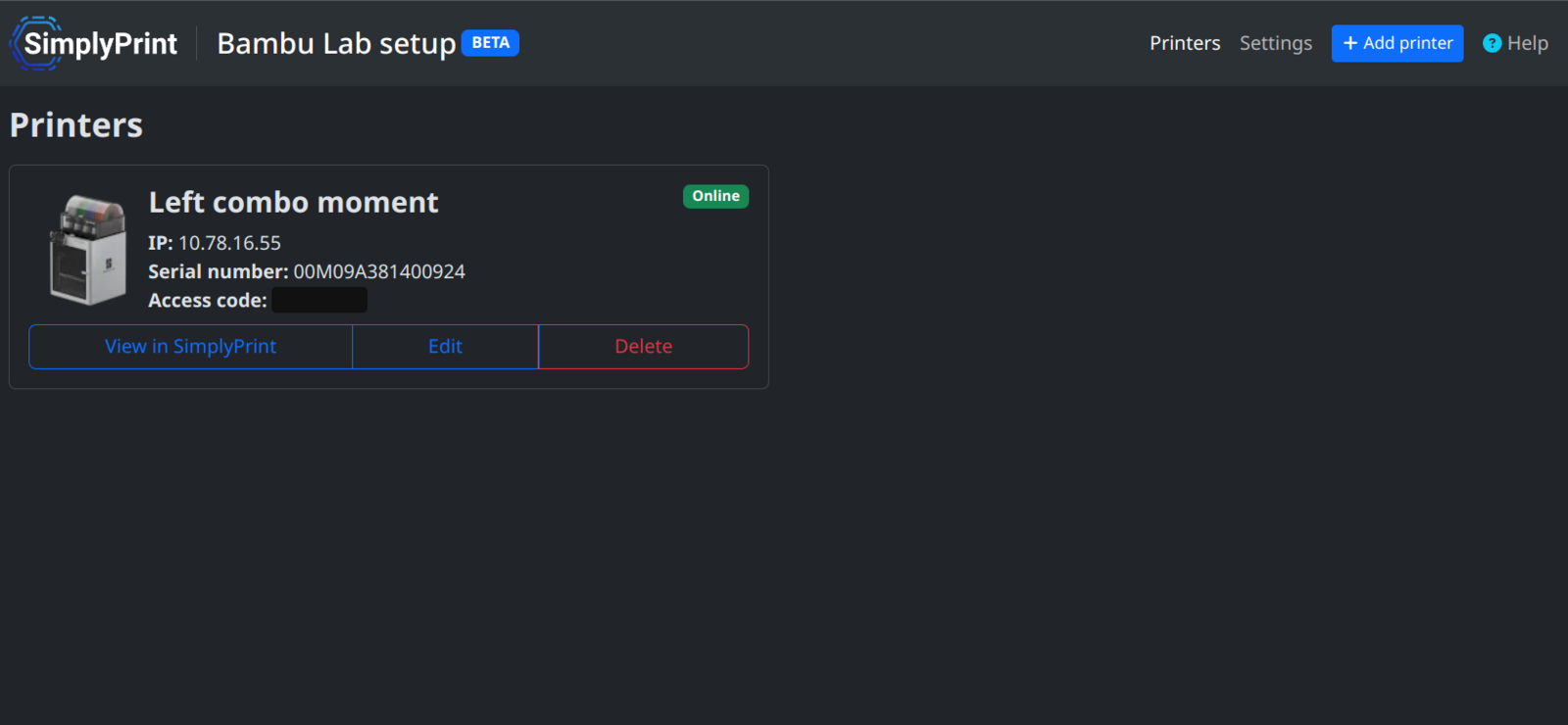
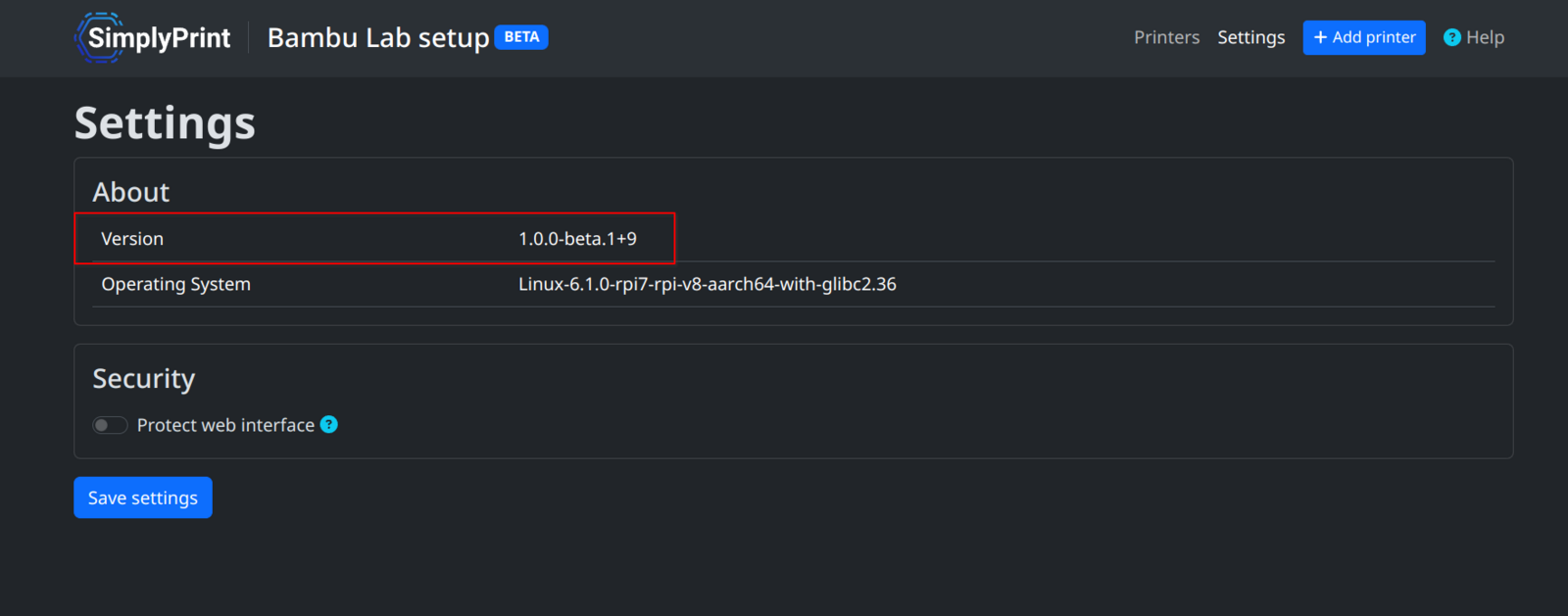
Then by clicking the "Settings" button you will be taken to a settings page.

Here you'll always be able to see the current version of the Bambu Lab Client you are running.
What do i need the version number for?
Other than simply being able to confirm that you are indeed running the newest version of the client, it can (in combination with logs) be tremendously useful for us when getting bug reports, as it helps us narrow down what can be wrong.
Still need help? Ask the team